Back Up Offline Redo Logs Using SAPDBA and BRARCHIVE
You can back up offline redo logs using SAPDBA and BRARCHIVE.
To back up offline redo logs using SAPDBA and BRARCHIVE
- Log on to SAPDBA.
- The SAP Database Administration screen displays.
- Note: Verify that you are in archive log mode and that automatic archiving is enabled. For more information, see the SAP R/3 documentation.
-
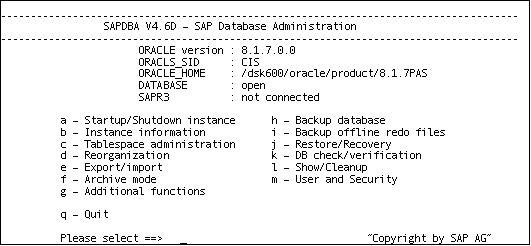
- From the SAP Database Administration screen, select i – Backup offline redo files.
-
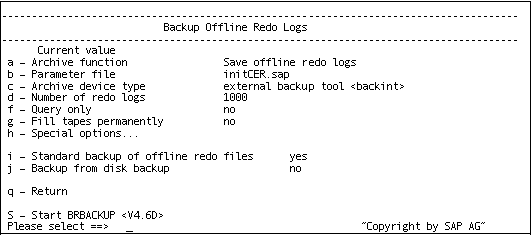
- From the Backup Offline Redo Logs screen, select h – Special options.
-
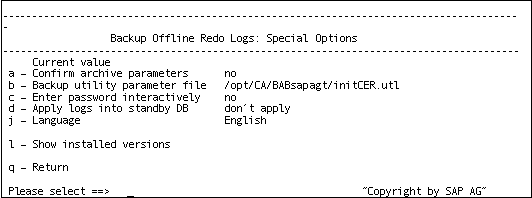
- Specify any additional options to apply to this backup. The Backup Offline Redo Logs screen displays.
- Enter i to select - Standard backup of offline redo files.
- Enter d - Number of redo logs. When prompted, enter the number of redo logs to be included in the backup.
- Enter q to return to the Backup Archive Logs screen.
- Enter s - Start BRARCHIVE.
- The backup starts.
The Backup Offline Redo Logs screen displays.
The Backup Offline Redo Logs: Special Options screen displays.
Note: Optionally, you can call the brbackup command line utility to execute the offline redo logs backup. The syntax for this command is as follows:
brarchive -d util_file -s