Use Hyper-V CSV for Full System Scenario
Arcserve Continuous Availability supports Hyper-V CSV cluster as destination hypervisor for Full System scenario.
Follow these steps:
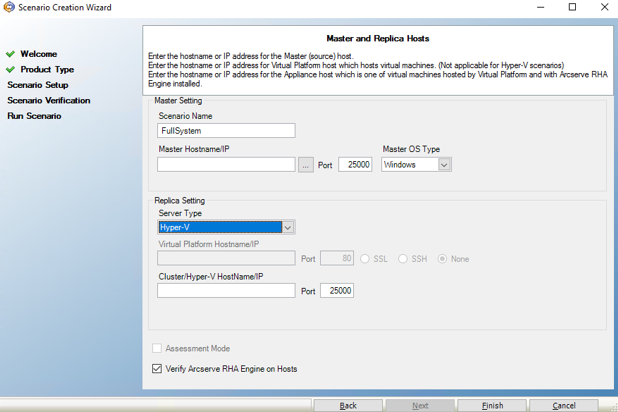
- From the Master and Replica Hosts page of the Scenario Creation wizard, select Hyper-V as Server Type.
- Specify the Hyper-V cluster virtual server name or IP as Cluster/Hyper-V HostName/IP.
-
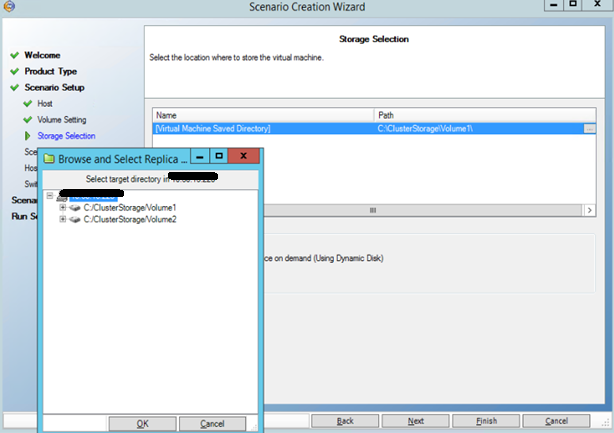
- From the Storage Selection page, select a CSV mount point for the VM that is created for Integrity Testing or Switchover.
- Follow the wizard and specify the values as required and click Finish.
-