Concurrent Processing
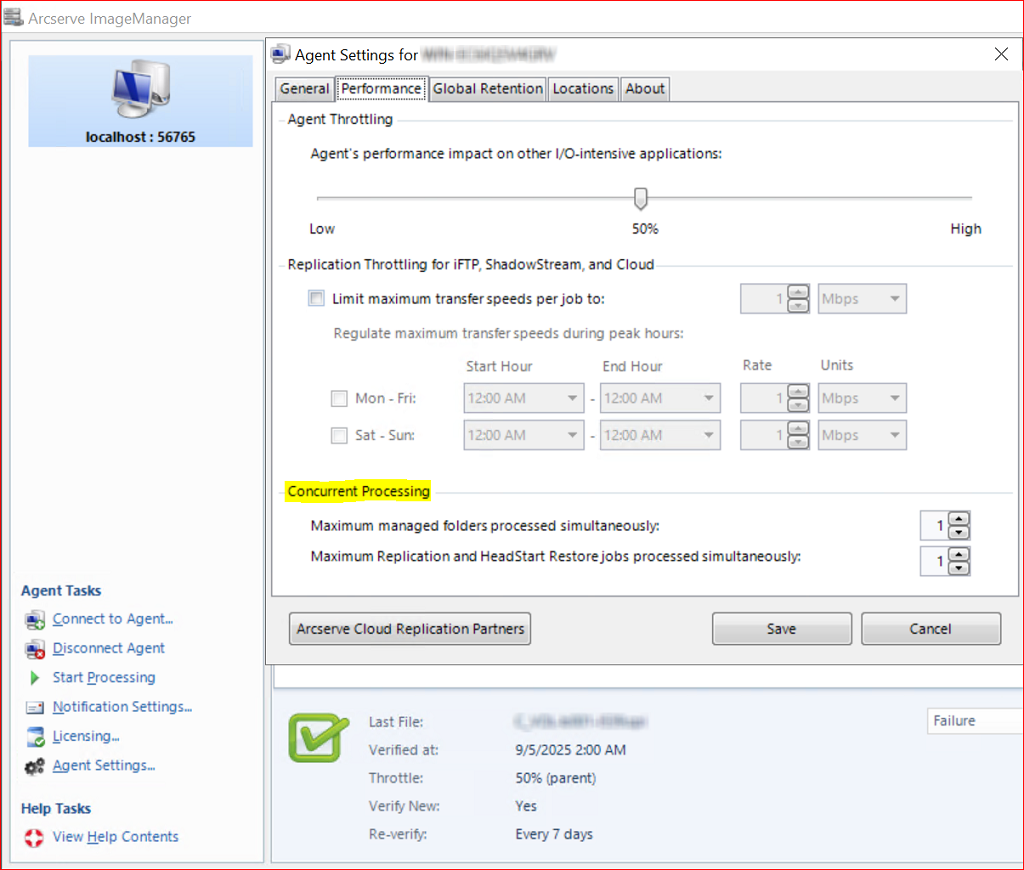
Concurrent Processing lets you control the maximum number of folders and jobs that ImageManager can process simultaneously. This allows you to manage performance during replication and HeadStart Restore.
To select Concurrent Processing settings:
- Launch ImageManager.
- Click Agent Settings.
- Click the Performance tab.
- Locate the Concurrent Processing section and select your Concurrent Processing options:
 Concurrent Processing options.
- Maximum managed folders processed simultaneously is used to limit the maximum number of managed folders that be processed for retention and consolidation concurrently.
- Note: Verification runs one folder at a time, regardless of this setting.
- Maximum Replication and HeadStart Restore jobs processed simultaneously is used to limit the number of Replication and HeadStart Restore jobs that can be processed concurrently.
- Note: Concurrent jobs refers to the replication type, NOT the total number of replication jobs. For example, if the maximum is set to 2, ImageManager will process up to two jobs of each type simultaneously: HeadStart Restore, Local Replication, Network Replication, iFTP Replication, ShadowStream Replication, and Cloud Replication.
-
- After selecting Concurrent Processing settings, click Save to complete this task.