How to Activate Arcserve UDP using Setup Installer
During installation of Arcserve product, you need to initiate the activation process by filling the details in the Product Activation screen for setup installer as shown below.
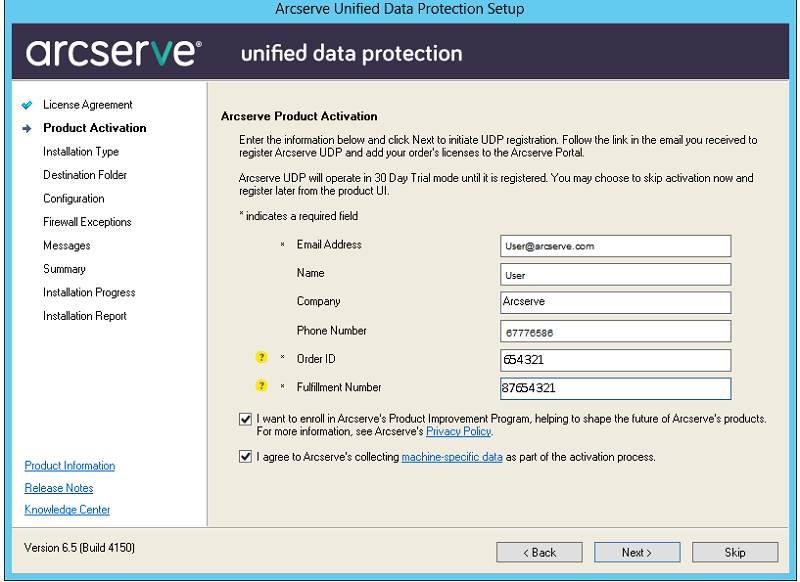
Note: Email address, Order ID, and Fulfillment Number are mandatory fields. All the other fields are optional.
Enter the following information:
Name
Specify your name.
Company
Specify the name of your company.
Phone Number
Specify your phone number in the following format:
Country code - Phone number. For example: 000-1122334455
Email Address
Specify your email address.
Note: The verification email is sent to this email address.
Order ID
Specify your Order ID.
Note: You receive Order ID through an email when you download Arcserve UDP.
Fulfillment Number
Specify the Fulfillment Number.
Note: You receive Fulfillment Number through an email when you download Arcserve UDP.
Important! Product licensing / activation does NOT take place until you select the option I agree to Arcserve's collecting machine specific data as part of the activation process.