Run HIR as a Standalone Utility
Run HIR as a standalone utility after restoring a system volume on new hardware or as a new virtual machine. To do so:
- Complete the steps for restoring a backup image (see Restoring a System Volume).
- In Recovery Environment, select HIR Configuration in the Tools menu.
- Note: HIR verifies the existing ShadowProtect install on the restored volume.
-
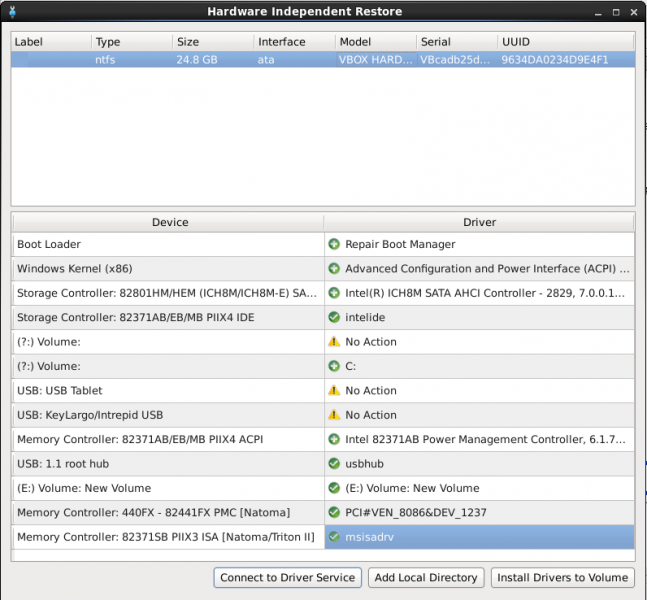
- Note: The "Connect to Driver Service" option is not active in the CrossPlatform Recovery Environment (even though it is displayed in the standalone HIR dialog).
- Select the restored boot volume.
- Click Add Local Directory to select the location of additional drivers needed for the new hardware. HIR automatically populates the available device driver list next to each storage item in the Device list.
- Select the correct device driver for each listed storage controller in the Device list.
- Click Install Drivers to Volume.