Setting up MSP Accounts
MSP accounts are setup on a per data center basis. The first time you select Arcserve SaaS Backup from the Managed Services menu you will be asked to create your MSP account. This is the primary account for the data center. You can only set up one main MSP account per data center.
See MSP Data Center Account View for the Data Center locations.
All MSP client accounts (sub accounts) fall under this main MSP account per data center.
Enter the following information to set up your MSP account:
- Company Name
- Contact Name
- Telephone number
- Email address
- Login ID
- Enter password
- Confirm password
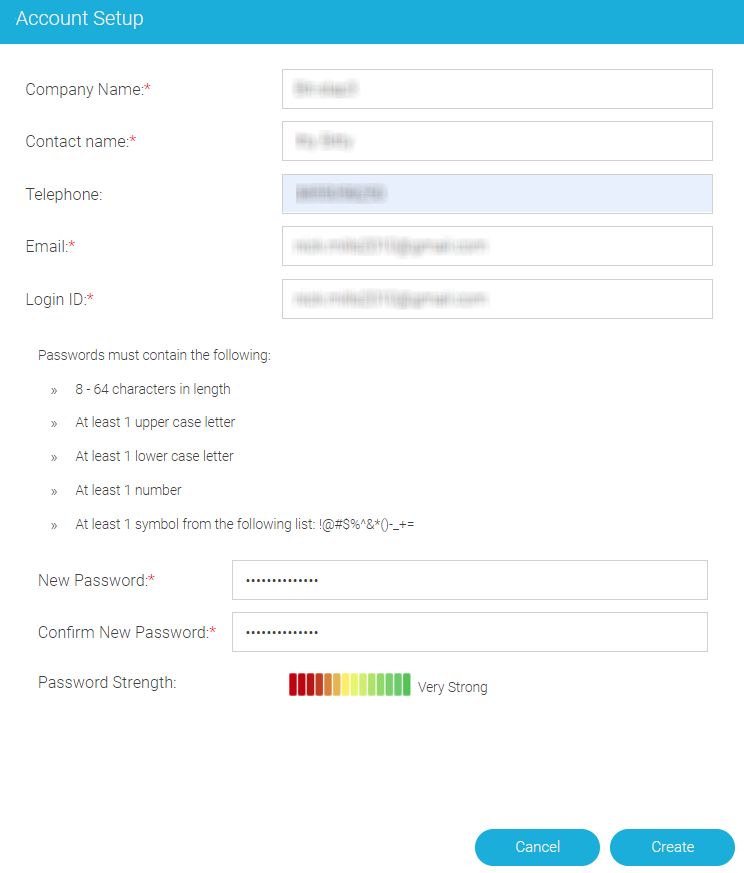
Additional information about each of these fields is given in MSP Data Center Account View.