Socket Licensing Service over HTTP
Note: You must run all winrm commands as an administrator. The commands require special escape characters if you are in PowerShell.
Follow these steps:
- From the command line, run:
- winrm quickconfig -transport:http
- Or run:
- winrm set winrm/config/service/auth @{Basic=”true”}
- Ensure there is a WinRM listener:
- winrm e winrm/config/listener
- Note: Output must contain one listener on port 5985 and the "ListeningOn" field should contain an IP address to which the activation service can connect.
- If no listener is present, add one:
- winrm create winrm/config/listener?Address=*+Transport=HTTP
- Configure the service for unencrypted authentication:
- winrm set winrm/config/service @{AllowUnencrypted=”true”}
- Create a local user account and add the user to the Local Admins group.
- Note: Domain users are not supported with Basic Authentication.
- Add the user to the WinRMRemoteWMIUsers__ group.
- Ensure port 5985 is open for communication.
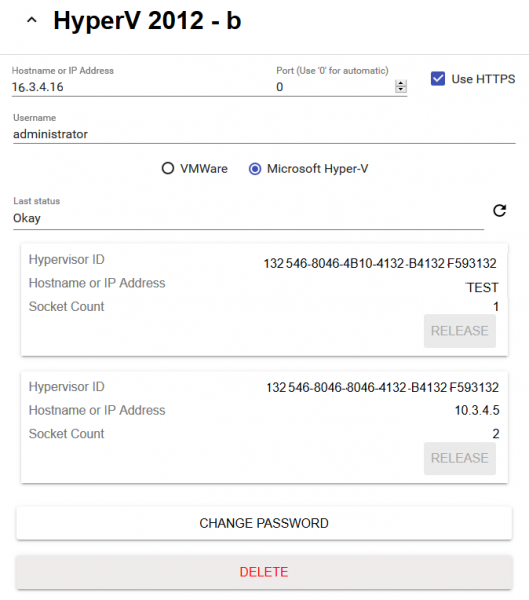
When configuring Hyper-V for unsecure communication with the Socket Licensing Service, you must uncheck the Use HTTPS box.