VirtualBoot to Hyper-V
Follow these steps:
- Click
 (the VirtualBoot icon) on the menu bar OR select Tools > VirtualBoot.
 - Select the Backup Image you want to VirtualBoot.
- Note: You must be logged in as Administrator on a system with a network share if you want to right-click virtualboot an image from the network share.
- Select Hyper-V as the hypervisor.
-
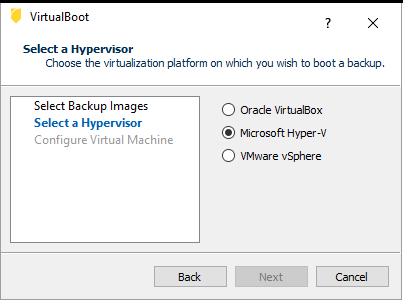
- Click Next.
- Configure the Virtual Machine.
Continue with the remaining VirtualBoot options then click Create. VirtualBoot uses Hyper-V to complete the operation