List Network Profile
The network profile list command displays existing network profiles.
Use the following command to list network profiles:
Copy
network profile list [-h] [-d DEVICE] [-v | --verbose | --no-verbose]
Scenario
Display all profiles configured in the Arcserve Cyber Resilient Storage device.
Copy
network profile listResult

Scenario
Display only profiles set against a specific device.
Copy
network profile list -d ens192Result

Scenario
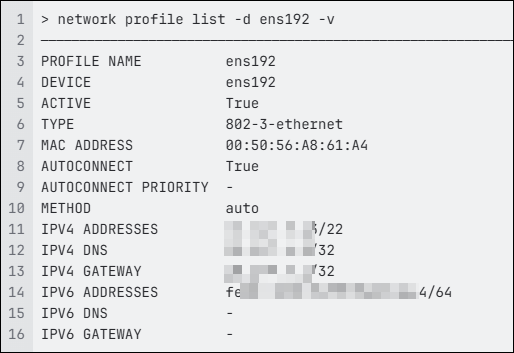
Display all details of profiles set against a specific device.
Copy
network profile list -d ens192 -vResult
For detailed information on the command syntax and parameters, see list in the Command Reference Guide .