Create Immutable Snapshots
This section provides information about how to create immutable snapshots.
Follow these steps:
- Log into Arcserve UDP, and click the resources tab.
- From the left pane, navigate to Destinations, and click Recovery Point Servers.
- The Destinations: Recovery Point Servers page displays in the center pane.
- Right-click the cyber resilient or cloud cyber resilient data store for which you want to create the snapshots, and then select Create Immutable Snapshots Now.
- The Create Immutable Snapshots Now dialog appears.
- Specify how long the snapshots to be retained in days, and then click Create.
-
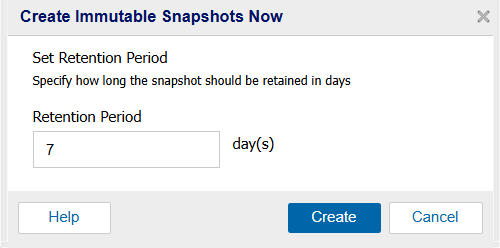
- Note: To optimize storage consumption, Arcserve recommends that you use a retention period of less than or equal to 7 days.
- The immutable snapshots are created successfully.