Create a Host-Based Backup Plan
Follow these steps:
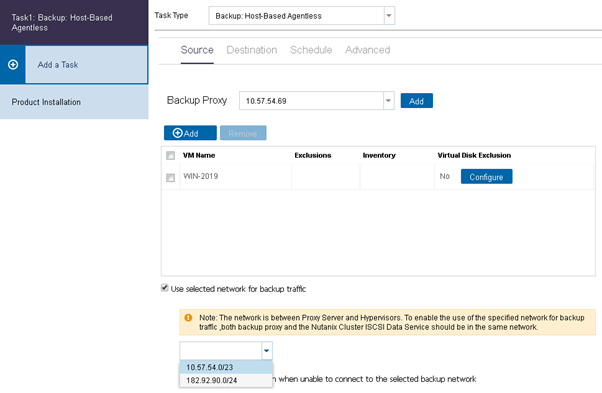
- Select the Use selected network for backup traffic checkbox. The backup network drop-down menu appears.
- To enable backup data transfer, select the CIDR Network from the drop-down menu.
- Note: The network specified in the Source tab is used for communication between Windows Proxy and Hypervisor Server.
-
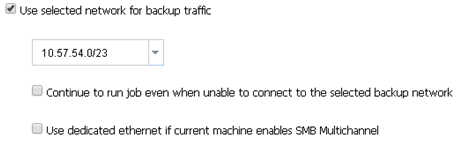
- If you want the backup task to continue even if the selected network is unavailable between Source Agent and Recovery Point Server, select the Continue to run job even when unable to connect to the selected backup network checkbox.
- To disable the SMB Multichannel so that the data transfers only through selected network, select the Use dedicated ethernet if current machine enables SMB Multichannel check box.
- Note: The SMB Multichannel feature is enabled in Windows, by default.