How to Integrate and Automate Arcserve UDP for Linux with the Existing IT Environment
As a Storage Manager, you can create scripts and can automate tasks to integrate Arcserve Unified Data Protection Agent for Linux with your existing IT environment. Scripts reduce the manual intervention and decrease the dependency on the web interface of the Backup Server to perform any task. Arcserve Unified Data Protection Agent for Linux also provides the interface and utilities to perform the job management, node management, and activity log management tasks.
The following diagram displays the process to integrate and automate Arcserve Unified Data Protection Agent for Linux with the existing IT environment:
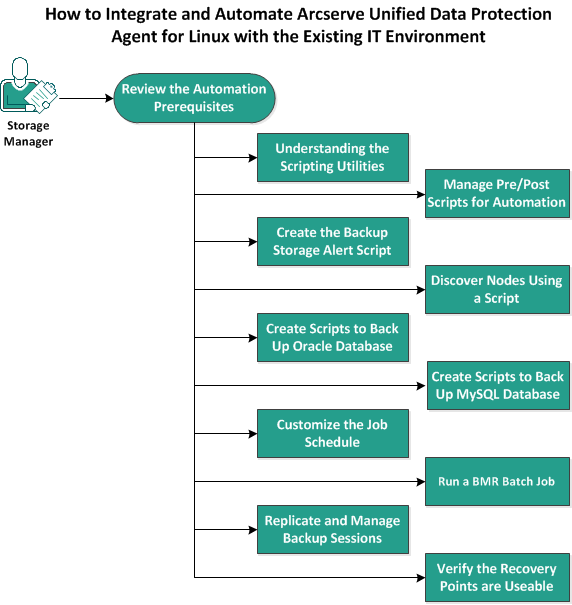
Perform the following tasks to automate and manage Arcserve Unified Data Protection Agent for Linux:
- Review the Automation Prerequisites
- Understanding the Scripting Utilities
- Manage Pre/Post Scripts for Automation
- Create the Backup Storage Alert Script
- Discover Nodes Using a Script
- Create the Scripts to Back Up Oracle Database
- Create the Scripts to Back Up MySQL Database
- Use Scripts to Backup and Restore PostgreSQL Database
- Customize the Job Schedule
- Run a BMR Batch Job
- Replicate and Manage Backup Sessions
- Verify the Recovery Points are Usable