Monitor and Manage Baseboard Management Controller (BMC)
Arcserve Appliance 10012BU-10576DR series models are installed with Baseboard Management Controller (BMC). BMC lets the server administrators improve the overall availability of Arcserve Appliance.
BMC provides alerts to administrators about server issues, allows to perform remote server management, and reduces the need for physical access to the server. It also provides remote access to multiple users from different locations for system maintenance and management.
To monitor the system status, manage system information and launch remote console, you must log into the Intelligent Platform Management Interface (IPMI).
Follow these steps:
- Open a web browser and enter the BMC IP address in the following format:
- https://BMC-IP-address.
- The login screen appears.
- Type the login credentials as follows:
- Username: ADMIN
- Note: The username must be in caps.
- Password: Type the BMC password
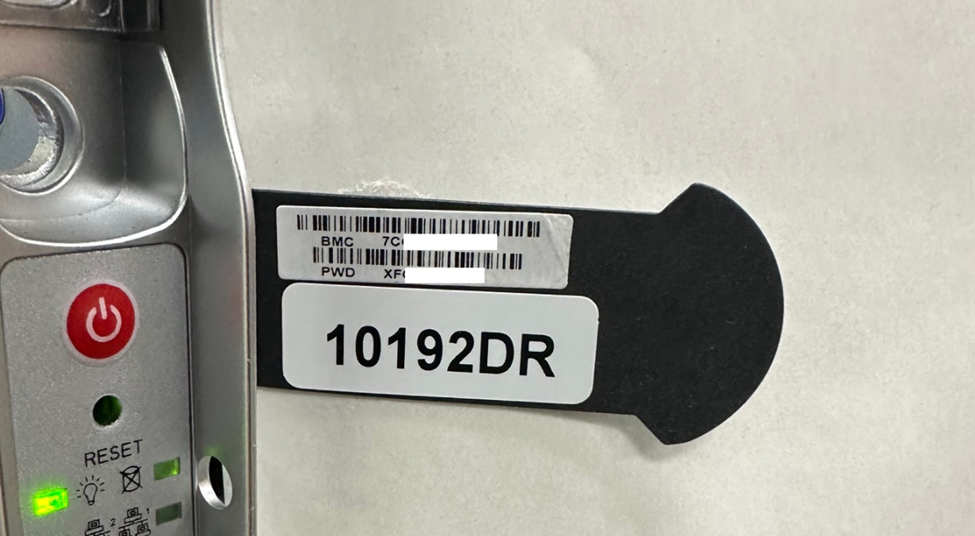
- Note: You can find the BMC unique password in the pull-out tag on the front panel of the server. The BMC password is listed in the bottom row just below the BMC/IPMI MAC Address.
-
- Click Login.
- Navigate to Remote Console and then click Launch Console.
-
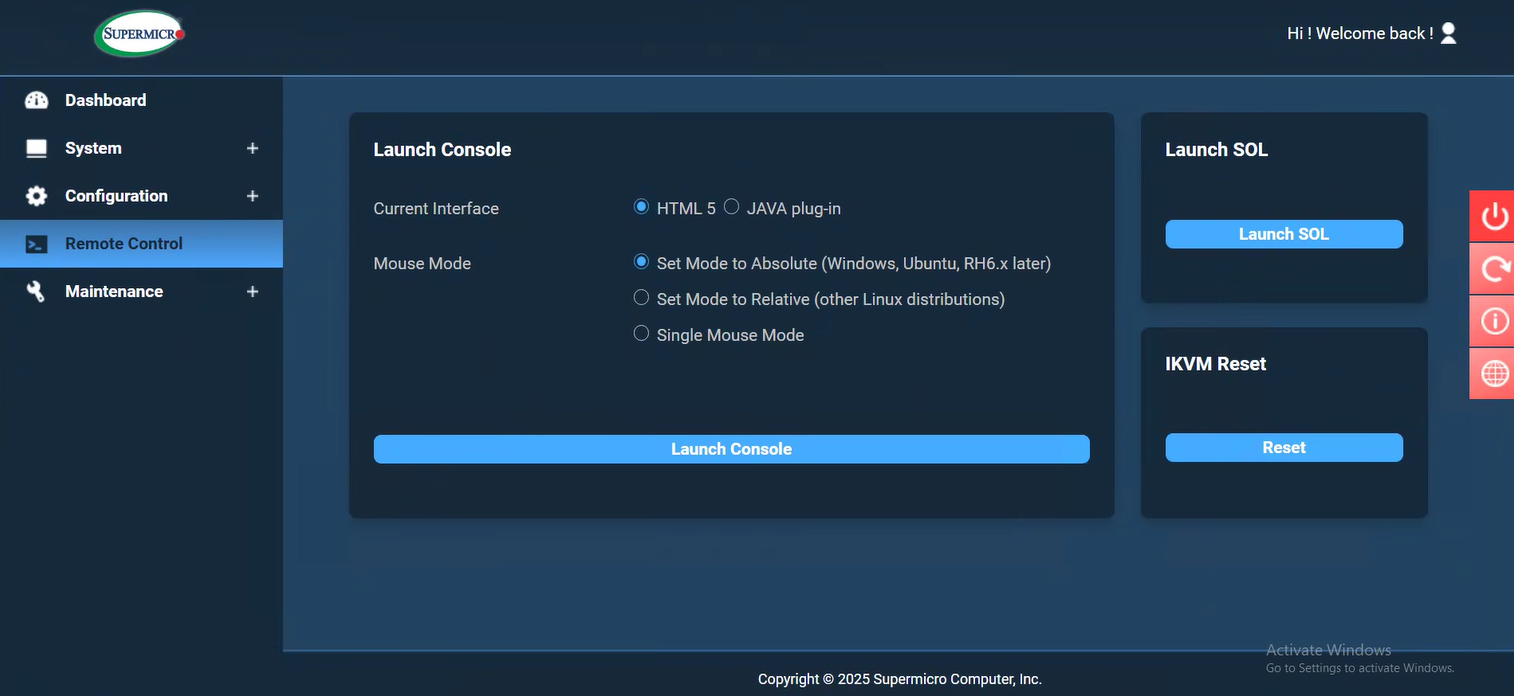
The Remote Console Viewer displays the remote system desktop. You can take the control of remote system and run the operations using keyboard and mouse.
You can also monitor the BMC system status and manage the following system information:
- System health
- System properties
- Hardware and firmware inventory
- Sensor health
- Storage devices
- Network devices
- View and terminate user sessions