

此方法描述如何将数据备份到主服务器和数据移动器服务器之间共享的磁盘阵列中的 FSD。
下图说明了此配置:
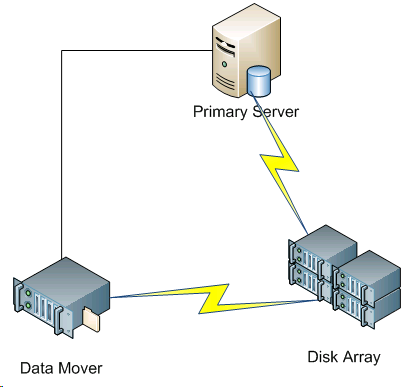
要将数据备份到共享磁盘阵列,请执行下列操作:
/disks
X:\
/disks/fsd
X:\fsd
Note:Ensure that X:\fsd references the same directory as /disks/fsd on the disk array.
请注意以下问题:
然后您可以将这些会话从主服务器还原到环境中的任何位置。
Note:To restore data that was backed up using this approach, you must merge the media relating to the FSD backup sessions and then execute the restore using the merged sessions.
|
Copyright © 2016
|
|