

這個處理方法將說明如何將資料備份到在主要伺服器與資料移動器伺服器之間共用磁碟陣列中的 FSD。
下列圖表將舉例說明這個配置:
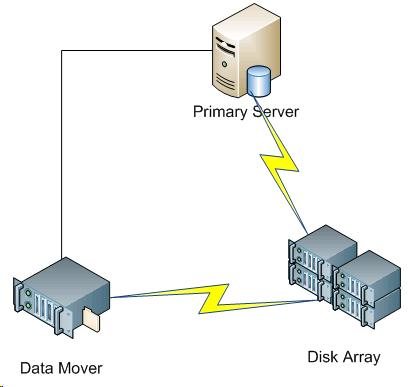
若要將資料備份到共用磁碟陣列,請執行下列作業:
/disks
X:\
/disks/fsd
X:\fsd
附註:Ensure that X:\fsd references the same directory as /disks/fsd on the disk array.
請注意下列事項:
接著可從主要伺服器,將工作階段還原到環境中的任何位置。
附註:To restore data that was backed up using this approach, you must merge the media relating to the FSD backup sessions and then execute the restore using the merged sessions.
|
Copyright © 2016
|
|