

Using CA ARCserve Central Reporting › CA ARCserve Central Reporting Types › Backup Reports › Node Archive Status Report › Node Archive Status Drill Down Report
Node Archive Status Drill Down Report
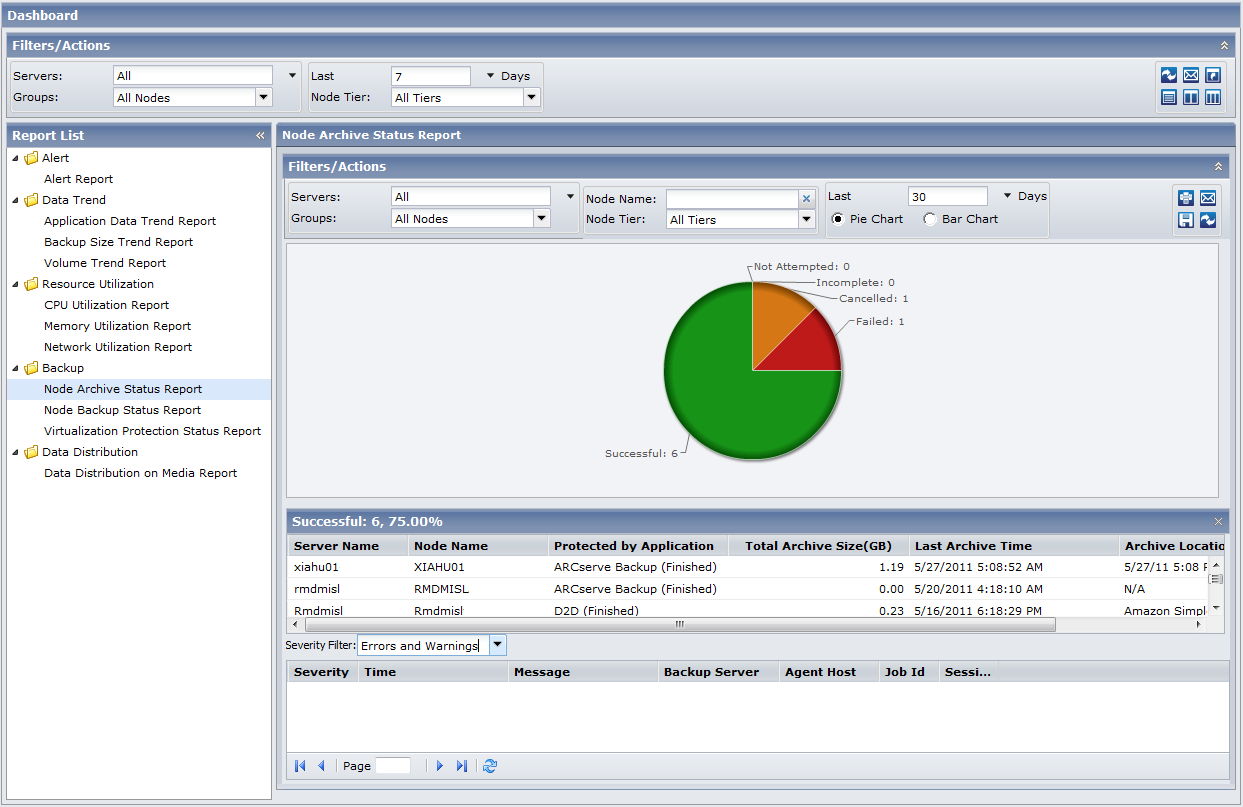
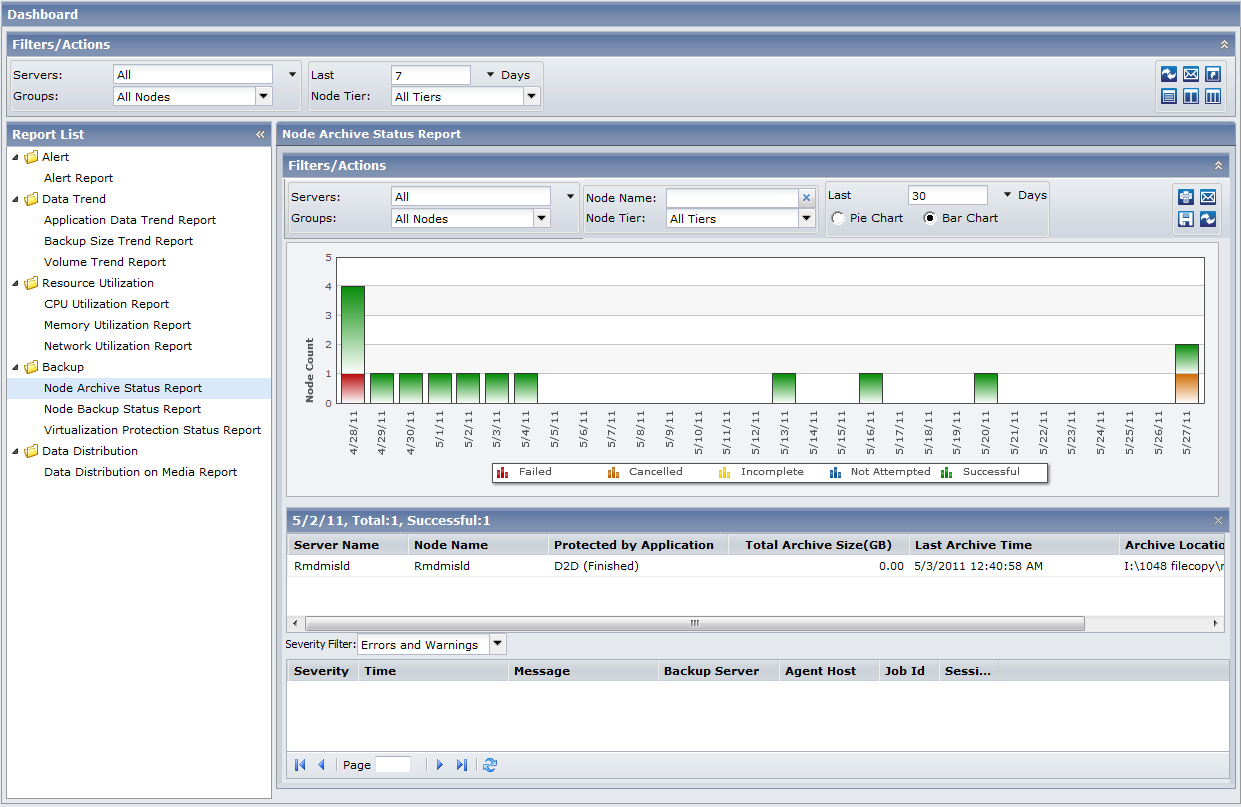
The Node Archive Status Report can be further expanded from the Pie chart view or the Bar chart view to display more detailed information. You can click on any status category from either view to drill down from a report of summary information to a more focused and detailed report about that particular category.
The following sample contains detailed information for the Node Archive Status Report in Pie view:
The following sample contains detailed information for the Node Archive Status Report in bar view:
The drill-down reports include the following:
- Server Name--Displays one of the following server names, based on the backup performed:
- For CA ARCserve Backup nodes, the Server Name field displays the name of the CA ARCserve Backup primary server, standalone server, or central primary server (of a Global Dashboard) where the node is protected.
- For CA ARCserve D2D nodes, the Server Name field displays the host name of the CA ARCserve D2D node where CA ARCserve D2D backup and file copy is performed.
- Node Name--Indicates the name of the agent node or the member server for CA ARCserve Backup or the name of the CA ARCserve D2D node.
- Total Archive Size (GB)--Indicates the total size of data archived or copied to the corresponding node.
- Last Archive Time--Indicates the date and time of the last archive or file copy.
- Archive Location--Indicates the destination where the archive or file copy resides.
Note: From the bar chart view, you can also drill down to display a filtered list of nodes for a status category on a single day.
You can then drill down further in this report by clicking on the name of an individual node to display a listing of all log messages associated with that node. You can also filter the list by specifying the severity of the messages displayed (Errors and Warnings, Errors, Warnings, Information, or All).
Be aware of the following:
- You can drill into each column name to sort in ascending or descending order and have the option to view any of the columns on the screen. All columns are enabled by default.
- CA ARCserve Central Reporting uses pagination to display the first 100 log messages. You can click on the Next page button to view further messages.
- From this drill down report, you can click on any listed error or warning message to display the related troubleshooting help topic with the corresponding reason and corrective action.
Copyright © 2013 CA.
All rights reserved.
|
|