Perform an Assured Security - Malware Scan from the Policies Page
This section provides information about how to perform an Assured Security - Malware Scan from the Policies page.
Note: Before you perform an Assured Security - Malware Scan, make sure to add the Assured Security - Malware Scan task to the policy. To add, see How to Add an Assured Security - Malware Scan Task to a Policy.
Follow these steps:
- Navigate to Protect > Policies.
- From the Action drop-down list of a policy that has an assured security policy assigned, click Run Assured Security - Malware Scan.
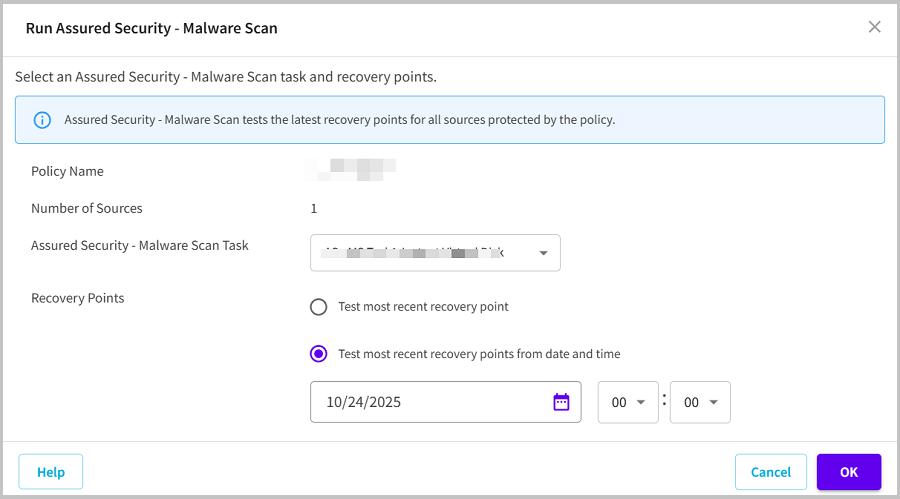
- The Run Assured Security - Malware Scan dialog appears.
- From the Assured Security - Malware Scan Task drop-down list, select the assured security task as needed.
- For Recovery Points, select one of the following, and then click OK:
- Test most recent recovery point
- Specifies the latest recovery points for Assured Security - Malware Scan.
- Test most recent recovery points from date and time
- Specifies the latest recovery points for Assured Security - Malware Scan based on the date and time selected.
-
The Assured Security - Malware Scan starts successfully.