vSphere VirtualBoot Remediation for vLCM Clusters
Important: When you install the Arcserve VAIO filter for the first time on a vLCM cluster, you need to run a remediation process before running the VirtualBoot process.
VMware introduced vLCM clusters starting with vSphere 7. Follow this remediation process before running VirtualBoot if you are using vLCM clusters.
See Introducing vLCM vSphere Lifecycle Management for additional details.
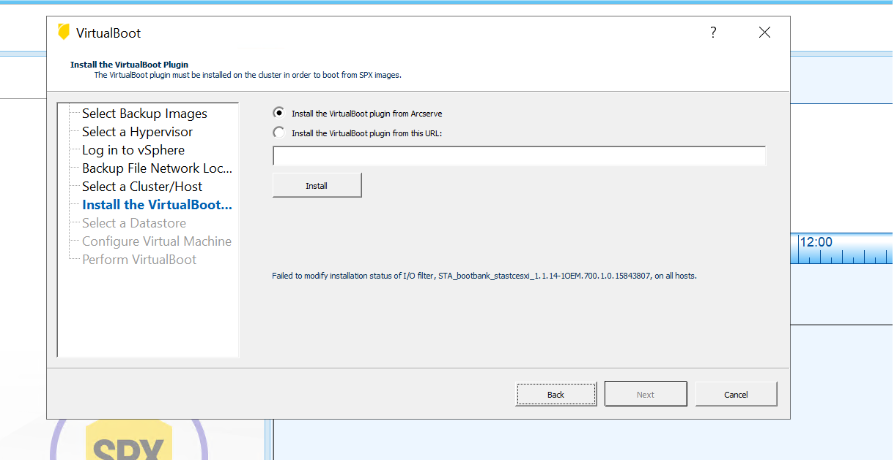
- If you see the following message in the VirtualBoot installation wizard, close the wizard then complete the following steps.
-
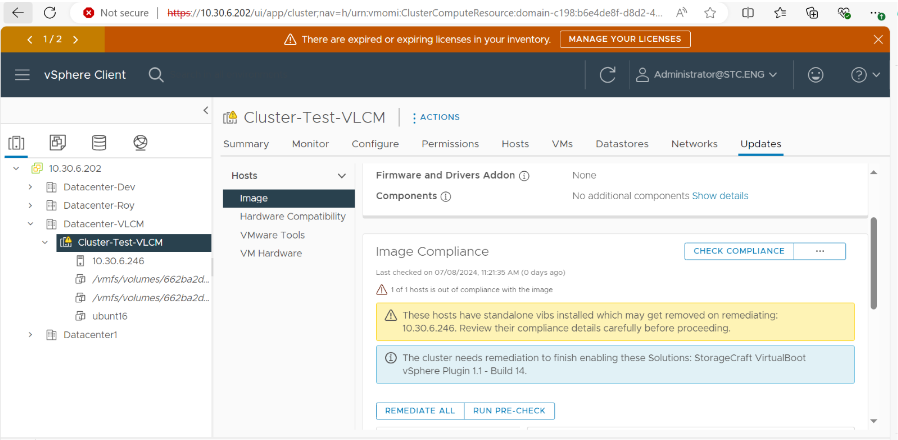
- Login to the vSphere client to start the remediation process.
- Select the cluster and host for the remediation
- Note: Be sure to understand and verify the Image Compliance messages before proceeding.
-
- Review the Remediation Impact Summary.
-
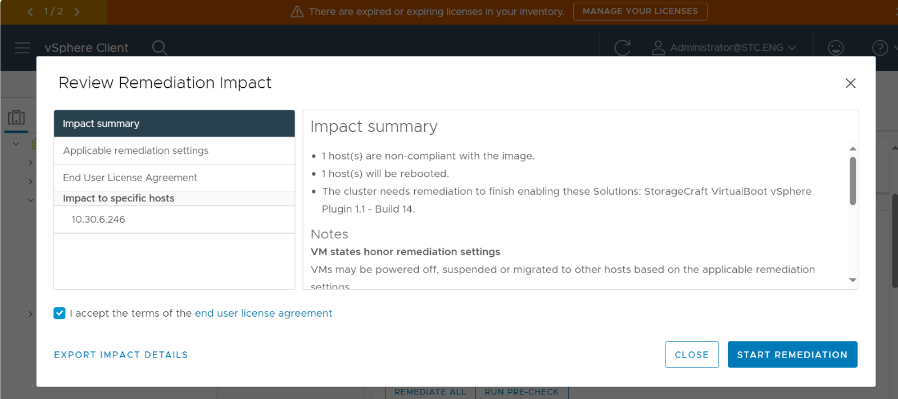
- IF you agree and want to proceed, check the box for 'I accept the terms of the end user agreement' and click START REMEDIATION.
-
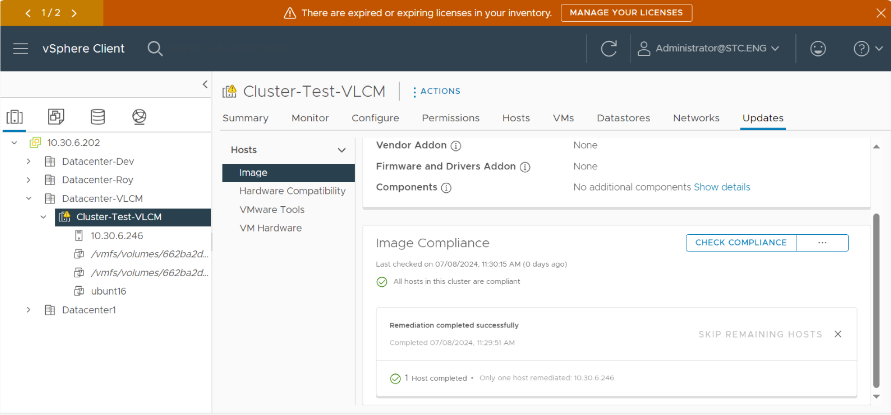
- Review all messages and verify that the remediation process was successful.
- After completing the remediation, restart the VirtualBoot ShadowProtect Backup Images in vSphere process from the beginning.