Show Immutable Snapshots
This section provides information about how to view the immutable snapshots using the Show Immutable Snapshots option.
Follow these steps:
- Log into Arcserve UDP Console, and then click the resources tab.
- From the left pane, navigate to Destinations, and click Recovery Point Servers.
- The Destinations: Recovery Point Servers page displays in the center pane.
- Do one of the following:
- Right-click the required Arcserve Cyber Resilient or Arcserve Cloud Cyber Reislient data store and select Show Immutable Snapshots.
- Go to the Immutable Snapshots column, and then click the snapshot count link.
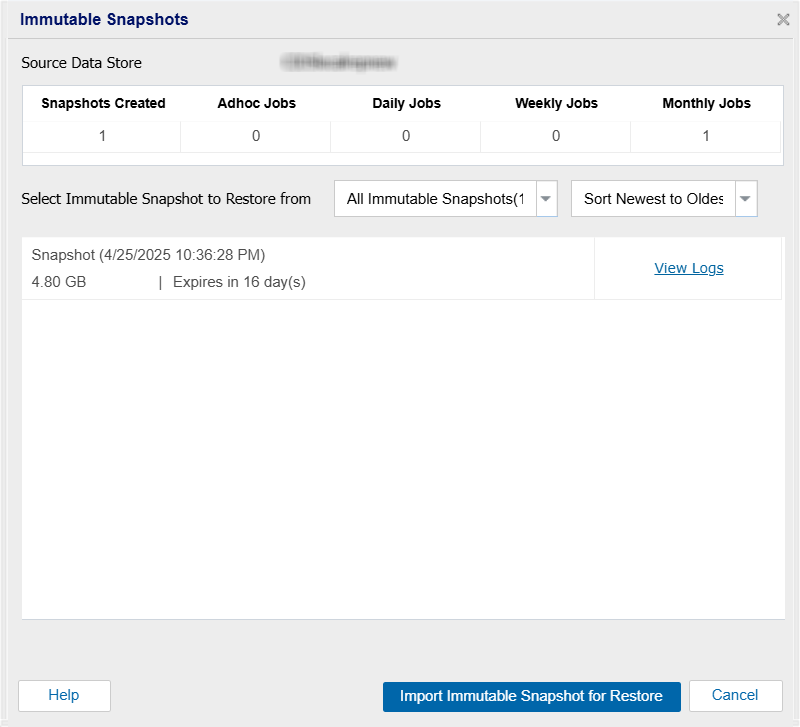
- The Immutable Snapshots dialog opens and displays the total number of snapshots created, number of adhoc, daily, weekly, and monthly snapshots created.
- On the Immutable Snapshots screen, you can do the following:
- View Immutable Snapshots: To view specific snapshots, select one of the following from the drop-down list next to Select Immutable Snapshot to Restore From:
- All Immutable Snapshots
- Adhoc Immutable Snapshots
- Daily Immutable Snapshots
- Weekly Immutable Snapshots
- Monthly Immutable Snapshots
- Sort the Snapshots: To sort snapshots by their date of creation, select Sort Newest to Oldest or Sort Oldest to Newest as required.
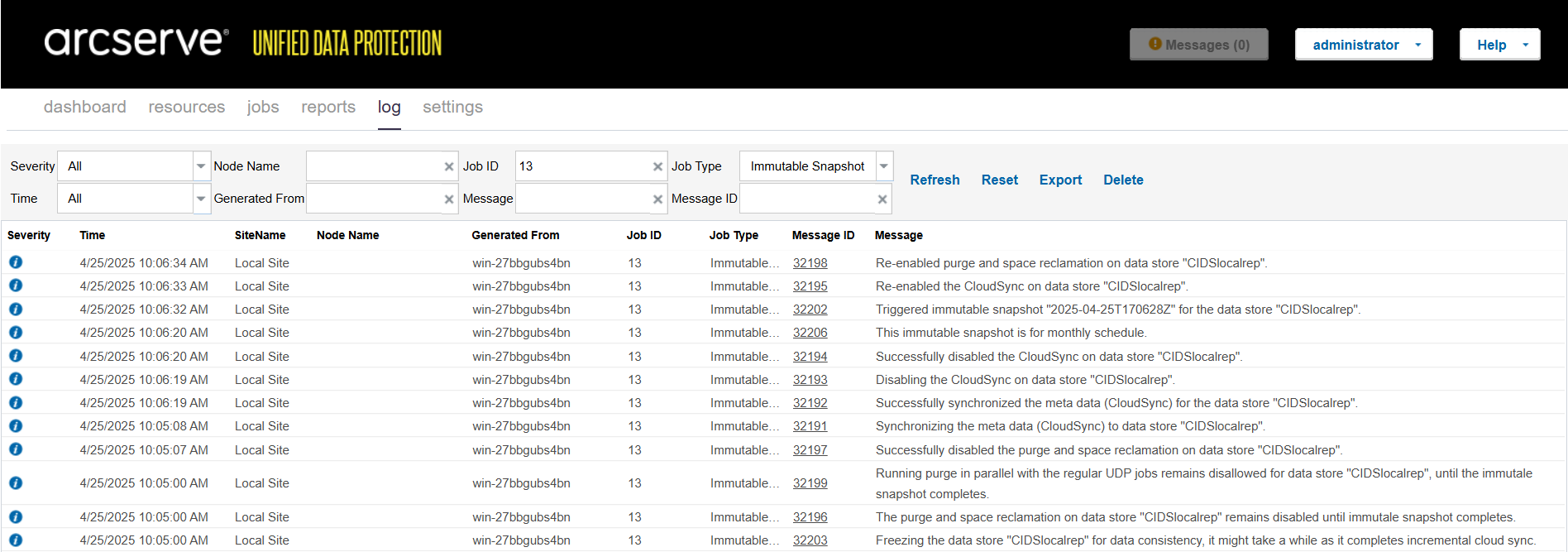
- View Logs: To view logs for a specific snapshot, click View Logs corresponding to the snapshot that you want to view. The Logs screen displays a list of existing logs with details such as Severity, Time, Site Name, Node Name, Generated From, Job ID, Job Type, Message ID, and Message. You can search for log messages using the search filters. You can also export logs list. To export, on the top-right corner, click the Export button.
- Note: When you import a snapshot as a writable data store from one RPS to another for existing snapshots, the View Logs option for that specific snapshot becomes disabled.
-
- Import Immutable Snapshot for Restore: If you want to import snapshot for restore, select the snapshot you want to import for restore, and then click Import Immutable Snapshot for Restore.
- The Setup a Data Store page appears corresponding to the data store that you have selected.
- For Arcserve Cyber Resilient Storage Data store, see Set Up a Data Store.
- For Arcserve Cloud Cyber Resilient Storage Data store, see Set Up a Data Store.
- Notes:
- The snapshot must be mounted on the Arcserve Cyber Resilient Storage Server before it can be imported. For more information, see Mount Snapshot.
- If a snapshot is in-progress or in a failed state, you cannot proceed with the import process.
- Arcserve Cyber Resilient Datastore snapshots expire on a 24-hour cadence. If a snapshot has expired, you must wait for the 24-hour cycle to complete before it is removed. This cadence starts from the time the Cyber Resilient Storage Server gets booted and is not based on the actual clock time. Additionally, if a snapshot is mounted on the Cyber Resilient Storage Server, it does not get deleted even after expiry. Once the snapshot is unmounted on the Cyber Resilient Storage Server, it is considered for reclamation and above rule applies.
-